
For league operators
A pool league website that keeps its own standings
AVP's site pulls standings, schedules and rosters from FargoRate LMS every morning, on its own. If your league scores in LMS, you can have the same site by filling in one form.
5 min read
Most league websites are a PDF. After match night somebody exports the standings from LMS and uploads the file to a page that was built years ago by a player who has since moved away. The link says "Standings (updated 3/14)" for two weeks, because the one person with the login was busy. So players give up on the site and open the LMS report link that got pasted into the group chat, on a phone, sideways, and then text the operator anyway to ask who they're playing Thursday.
If you run a league you know how much of your week that is. Scoring the night in LMS is quick. Then somebody has to export the PDF, log in to the site, find the right page, replace the file and check it worked. If that slips a day, the texts start.
The Antelope Valley Pool League ran on exactly that: a WordPress site with the season's PDFs embedded in it. AVP plays two divisions, one 8-ball and one 9-ball, and scores both in FargoRate LMS. Its site is now at avpleague.com, and nobody uploads anything to it.
#What AVP's site does
Every morning the site reads the league's public reports from LMS and rewrites itself. Team standings, player standings, the schedule with the results filled in, the teams page with each roster (subs under the regulars), and the card that shows when a link is shared. Scores go into LMS on match night. The site has them the next morning. A week that hasn't been scored yet gets marked "Awaiting results" instead of showing last week's numbers.
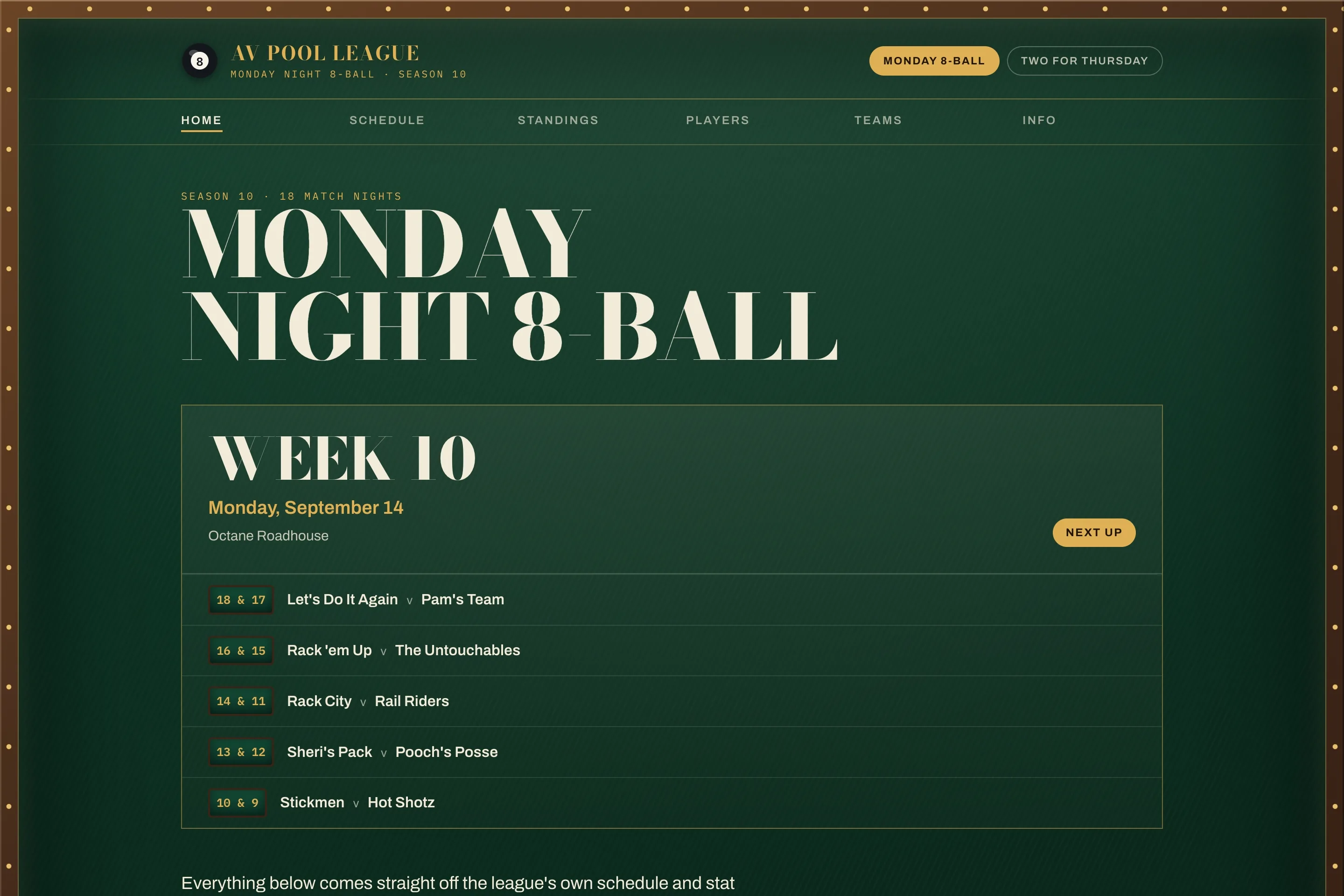 The AVP home page, with the next match night and the top of the standings for the Monday division.
The schedule page has a team picker. Pick your team and the page shows only your matches, with the table numbers, and it remembers the choice next time you open it on that phone. The next match night is flagged and already open.
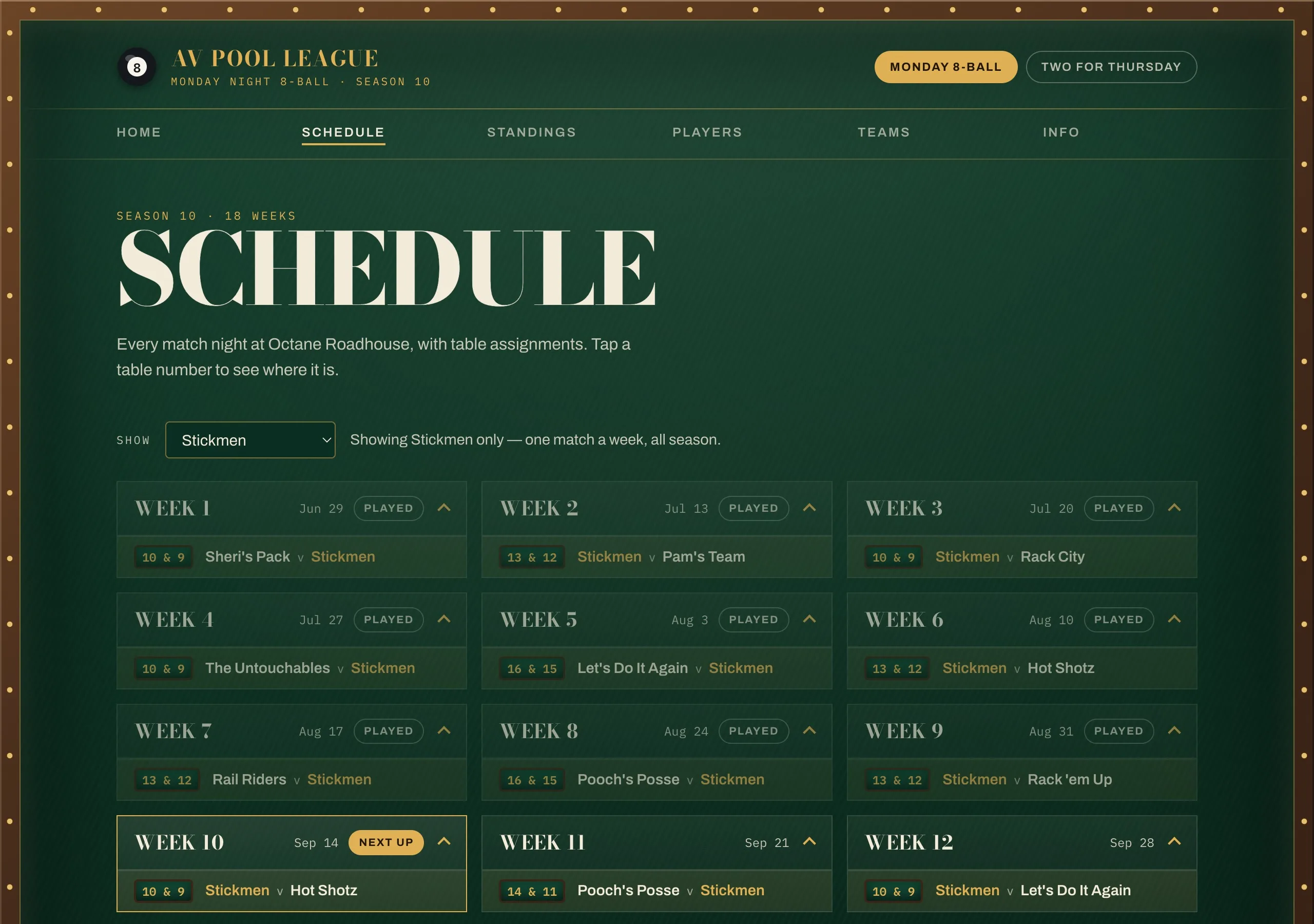 The schedule filtered to one team. Played weeks are marked, the next match night is open.
The two divisions each have their own pages, and the site remembers which division you looked at last. When someone shares a link to the standings in the group chat, the preview card that shows up in the chat is redrawn after each sync, so the picture in the chat matches the page.
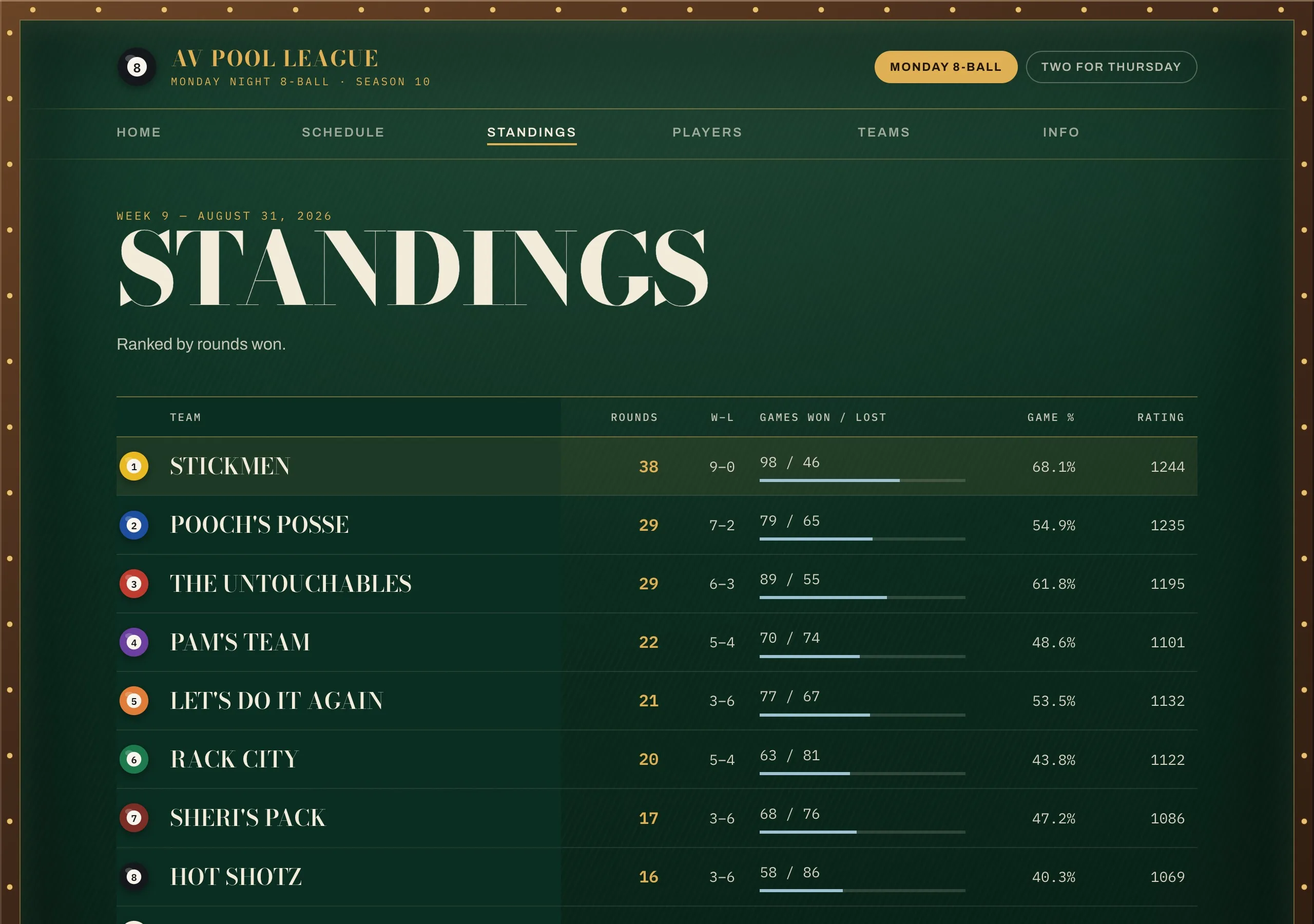 Team standings for the Monday 8-ball division, ranked by rounds won.
The owner still edits the parts that are his, like the welcome text and the contact details, or the notice that runs across the top when the venue changes for a week. Those are a form with boxes in it, and a publish button.
#Getting one for your league
AVP's site is now a template. AVP's names and colors are stripped out and the pages are pointed at your reports instead. It comes in plain colors, no green felt, and its schedule folds the played weeks under one line so the next match night sits at the top.
The form asks for your league's name and time zone, then one line per division: what you call it, whether it's 8-ball or 9-ball, and the division ID from LMS. The ID is the long string of letters and numbers in the address of your division's public report on lms.fargorate.com, the same link you already send to players. The venue and start time are optional.
The button makes you an account first, then opens the form, and when you submit it the site is made and the first sync runs against your reports, which takes about a minute. After that the morning sync just happens, in your time zone.
We tested this against other leagues before writing this (a couple of BCAPL leagues in California whose reports are public), because LMS reports don't all look the same. Some leagues record handicaps and averages and some don't, and the site shows the columns your league actually fills in. One thing that came up: if you enter event rows in the LMS schedule, like a Save the Date for a championship, they show up as notes on that week, not as fixtures. There'll be others we haven't hit yet. If your reports break it, email us and we'll fix the template.
#Cost
It's free if you're fine with an address like yourleague.tessryx.app. Free sites carry a small "Served by Tessryx" line at the bottom and don't get listed in Google. The morning sync fits inside the free plan. For a league of forty players that's the plan we'd pick.
If you want it on your own domain, the way AVP has avpleague.com, that's $20 a month. The $20 is the plan with a domain on it, and that's the whole bill. Players and visitors aren't counted. You buy the domain yourself from wherever you like.
#One line on what it runs on
The site is an app on Tessryx, which is what we make. An AI built AVP's version from a conversation, the sync and the pages together, and that app is what the template copies for you. If you want your league's colors instead of the default teal, the colors are set in one place at the top of the page's styling, and you can hand that to ChatGPT or Claude and ask.
#For the technical reader: how it's put together
This last part is for whoever in your league gets asked "but where does it run, and what happens if the AI made a mess of it?"
It's twenty-nine pieces and no server. The LMS report URLs are two api templates. The work is done by workflows: ingest fetches and parses a division's reports, sync writes the result into that division's season datafile, sync-all loops over the divisions once a morning, og-card redraws the share card, and touch-icons draws the home-screen icons once at setup. The pages come out of one more workflow, page, which renders every page of every division from three datafiles, and twelve endpoints put those pages on public URLs (each page at the root and again under /:division/) with a fifteen-minute cache at the edge. A single schedule fires the sync. The four schemas give the datafiles their shape, and they're also where the owner's editing forms come from.
The diagram is those pieces and the references between them, read out of the exported template. It starts as the four prompts most of it came from, condensed a little, and unpacks in front of you. Then pick a walk-through and watch the morning sync or a page view move through it, or hover a piece for what it does.
- endpoint
- workflow
- datafile
- schema
- api template
- schedule
- asset
- setup form
The prompts
Four prompts, more or less as they were typed. Most of the twenty-nine pieces trace back to one of them.
The visitor's path never touches LMS. A page view reads three datafiles and returns HTML, and the edge keeps that copy for fifteen minutes, so if FargoRate is down one morning the site is still up with last night's standings on it. Every piece in the diagram can be opened in the workspace and read, with its version history. If you hand it to Claude for a color change and don't like the result, you publish the previous version.